Release notes
CommaView 0.0.164: carrotpilot, SunnyPilot-TeslaHW1 and live copies
CommaView 0.0.164 adds carrotpilot and SunnyPilot-TeslaHW1, and live copies that save what Live View shows as you drive. Plus early access to Navigation and Surround.
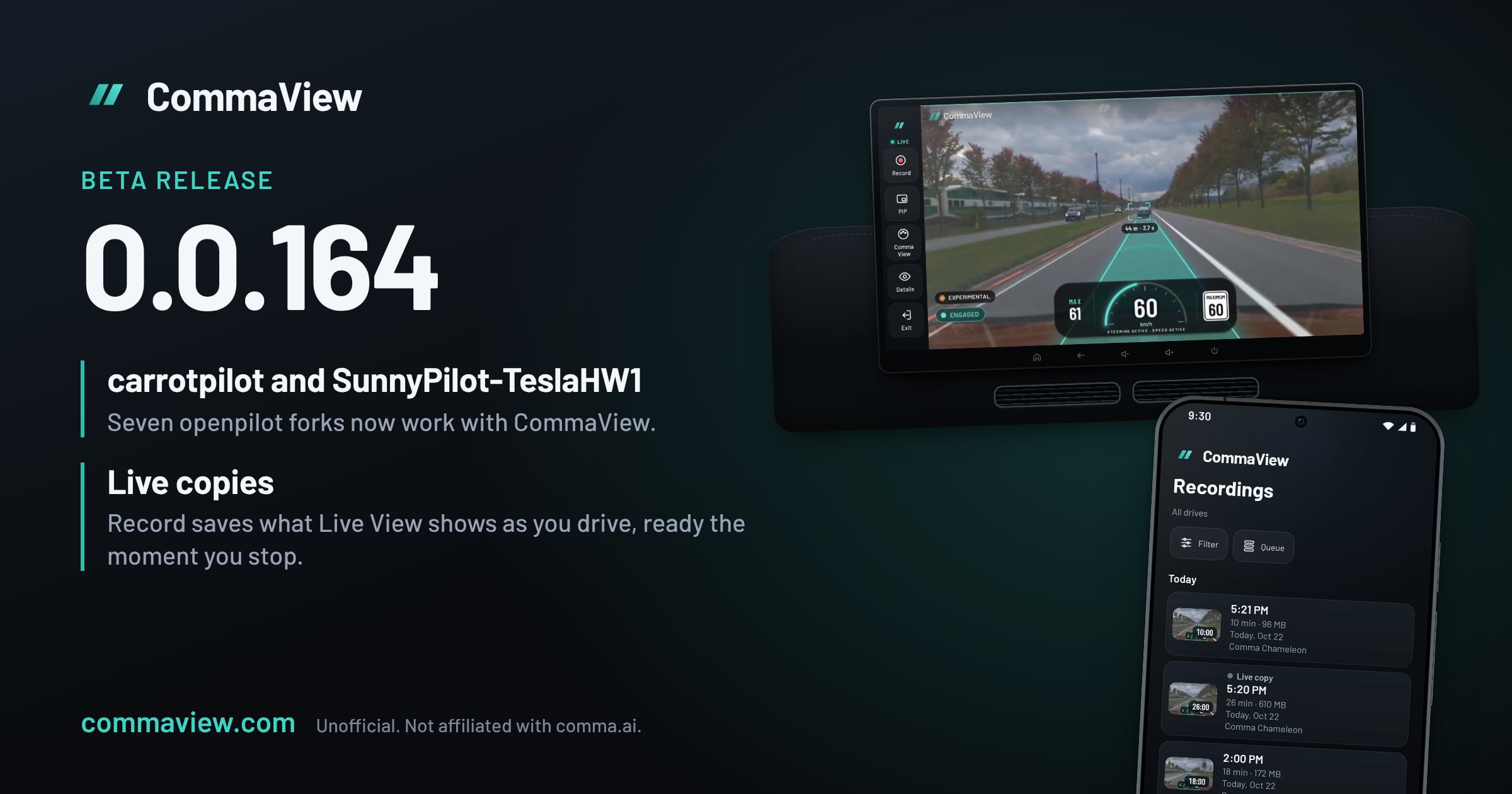
CommaView 0.0.164 is out for everyone in the beta. It adds two more openpilot forks, carrotpilot and SunnyPilot-TeslaHW1, so CommaView now works with seven: openpilot, sunnypilot, StarPilot, xnor-tech’s openpilot, AdventurePilot, SunnyPilot-TeslaHW1 and carrotpilot. It also brings live copies, which save what Live View shows as you drive, ready the moment you stop.
It comes with runtime v0.0.60-beta, which recognizes the two new forks. Update the runtime from the app when it offers it, and reboot the comma when the app asks.
SunnyPilot-TeslaHW1
SunnyPilot-TeslaHW1 is a sunnypilot fork that adds Tesla’s HW1 (Autopilot 1) cars. Its screen is sunnypilot’s, so CommaView draws sunnypilot’s screen with everything sunnypilot adds, and names the fork in the app.
One thing to know: its op fork update can’t move the fork while CommaView’s hook is installed. Uninstall CommaView first, or use the fork switcher on the comma’s screen, which works as usual.
carrotpilot
carrotpilot is an openpilot fork for Hyundai, Kia and Genesis cars, installed from i.carrotpilot.app. CommaView draws openpilot’s screen for it, with your speed, the path, lanes and the car ahead, and names the fork in the app.
Two limits, for now:
- carrotpilot’s own screen isn’t drawn yet. What it adds to openpilot’s screen, such as its navigation, speed cameras and HUD, doesn’t show in Live View.
- Its updates remove CommaView’s hook until the comma reboots. carrotpilot’s auto-update, and the Git tools on its web page, reset its files while it runs. Nothing breaks: the app asks for a reboot, and Live View comes back after it.
Live copies
Until now, Record made a replay: once you park, the app downloads the comma’s own video and draws the HUD over it. That’s still the best picture, but it takes a while after the drive and stops at 10 minutes a recording.
Settings › Recordings › Record in Live View now lets you choose what Record makes:
| Choice | What you get |
|---|---|
| Replay (the default) | The comma’s own video with the HUD drawn over it, made after you park. The best picture, up to 10 minutes a recording. |
| Live copy | What Live View shows as you drive, saved on your phone and ready in Recordings the moment you stop, with no 10-minute limit. |
| Both | A live copy now, and the replay after the drive. |
A live copy is 720p (about 1.4 GB an hour) or 1080p (about 2.3 GB an hour), at 20 frames a second. It keeps going while you switch apps or lock the phone, with a notification you can stop it from. It stops cleanly before your phone’s storage runs out, and if the app closes while recording, you keep everything but the last minute.
Live copies stay on your phone and are never uploaded.
Also in 0.0.164
- Settings that use the whole screen. Recordings, Display and Live streaming lay out like Offline maps, in two columns where they fit, and line up on tablets, head units and phones held sideways.
- Why an install failed. If setup, a runtime update or an uninstall fails, the app says what went wrong and what to do: a fork CommaView doesn’t support, the car being driven, no internet on the comma, a damaged download. It says whether your comma was put back as it was, and Copy details copies the report support needs.
- Faster replays. A replay downloads only the video it shows, and the next drive in the queue downloads while one is being made. A recording cut short by the app closing, the 10-minute limit or the car switching off can now be made into a replay too.
- Replay quality works again. Balanced, High and Max make different replays again: every replay had been made at the same 40 Mbit/s. High, the default, now makes files about half the size from a comma 3X.
Early access: Navigation and Surround
Some features are in early development: Navigation, Surround, Go live and Send to CommaView. We’re releasing them to a limited group of testers behind feature flags while we gather feedback, so they only show on accounts that have them switched on.
- Navigation is turn-by-turn guidance from Home to Live View: search for a place, pick a route, then follow the turn card, spoken prompts and, on the CommaView screen, chevrons painted in your lane. A wrong turn finds a new route within seconds. It’s display only: nothing is sent to your comma or your car.
- Surround is a 3D view of the road around your car: the road as the camera sees it, with its lane lines and junctions, and the cars, trucks and traffic lights around you.
Some of these run on paid services, such as Navigation’s routing, so we’re keeping the group small until we know what normal use costs. If you’d like to help test them, reach out on our Discord and be ready to tell us how they do on your drives.
How to get it
CommaView is in an invite-only beta. If you’re in, the app offers the 0.0.164 update on its own. After it updates, update the runtime on your comma from the app, then reboot the comma when it asks. Runtime updates wait until the car is in Park with openpilot disengaged, so a drive is never interrupted.
New to CommaView? The setup guide walks through installing the app and connecting your comma.
Further reading
- Which openpilot forks work with CommaView, including SunnyPilot-TeslaHW1 and carrotpilot
- What’s new in every release
- How CommaView releases work
CommaView is unofficial and not affiliated with comma.ai, sunnypilot, carrotpilot or SunnyPilot-TeslaHW1. It is beta software and not a safety system: never let it distract you from driving.