Support guide
Send a support bundle
A support bundle is a small zip of what the CommaView app saw on your phone, and what its runtime saw on your comma. It lets us find a problem without being in your car. It holds logs only: no video, no location.
1Step 1 of 4
Check diagnostics are on
They are unless someone turned them off. Check first, before the problem happens again: the app only keeps its record while Keep diagnostics on this phone is on.
-
1.1
Open Support & diagnostics
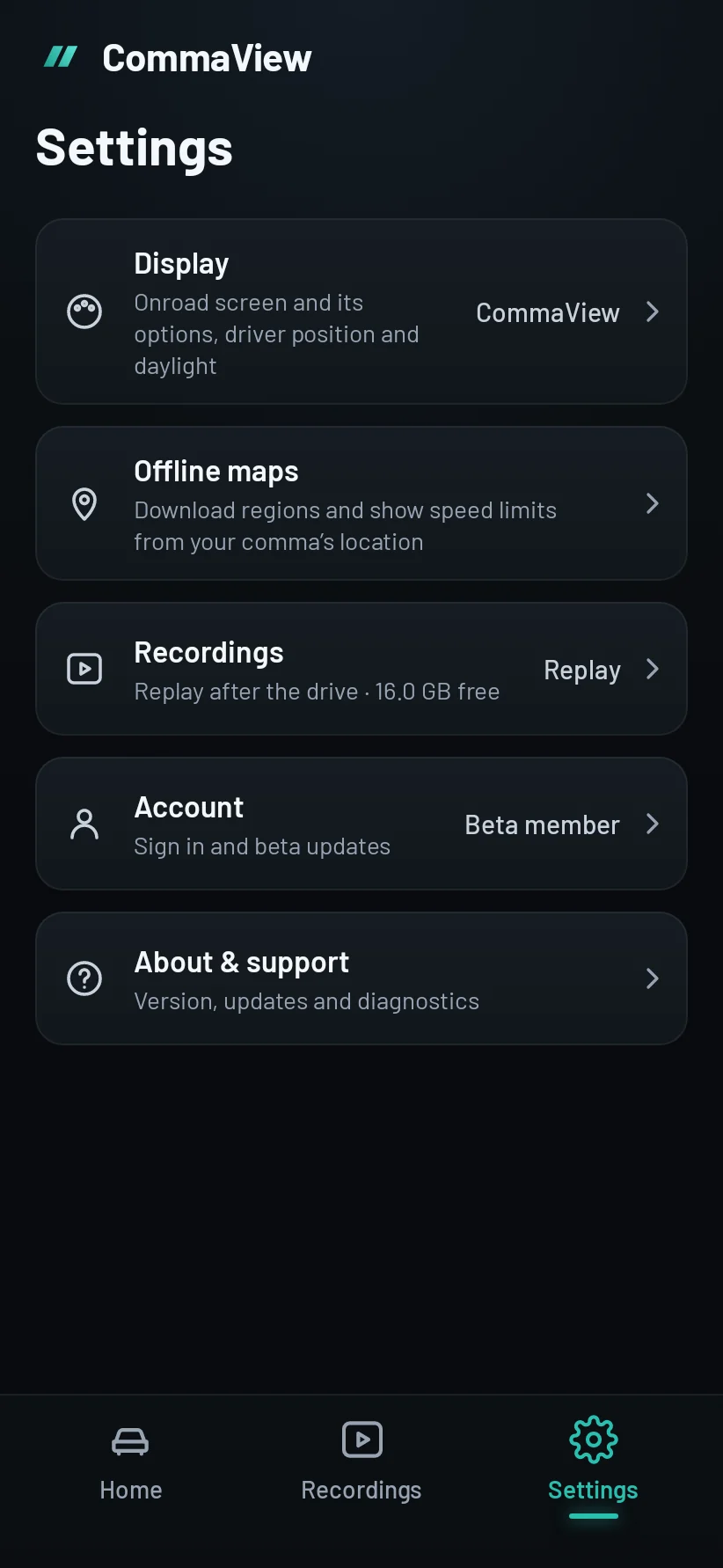
In CommaView, tap Settings in the bar at the bottom. On a tablet or head unit it’s in the rail at the side.
Tap Support & diagnostics, near the end, before About.
-
1.2
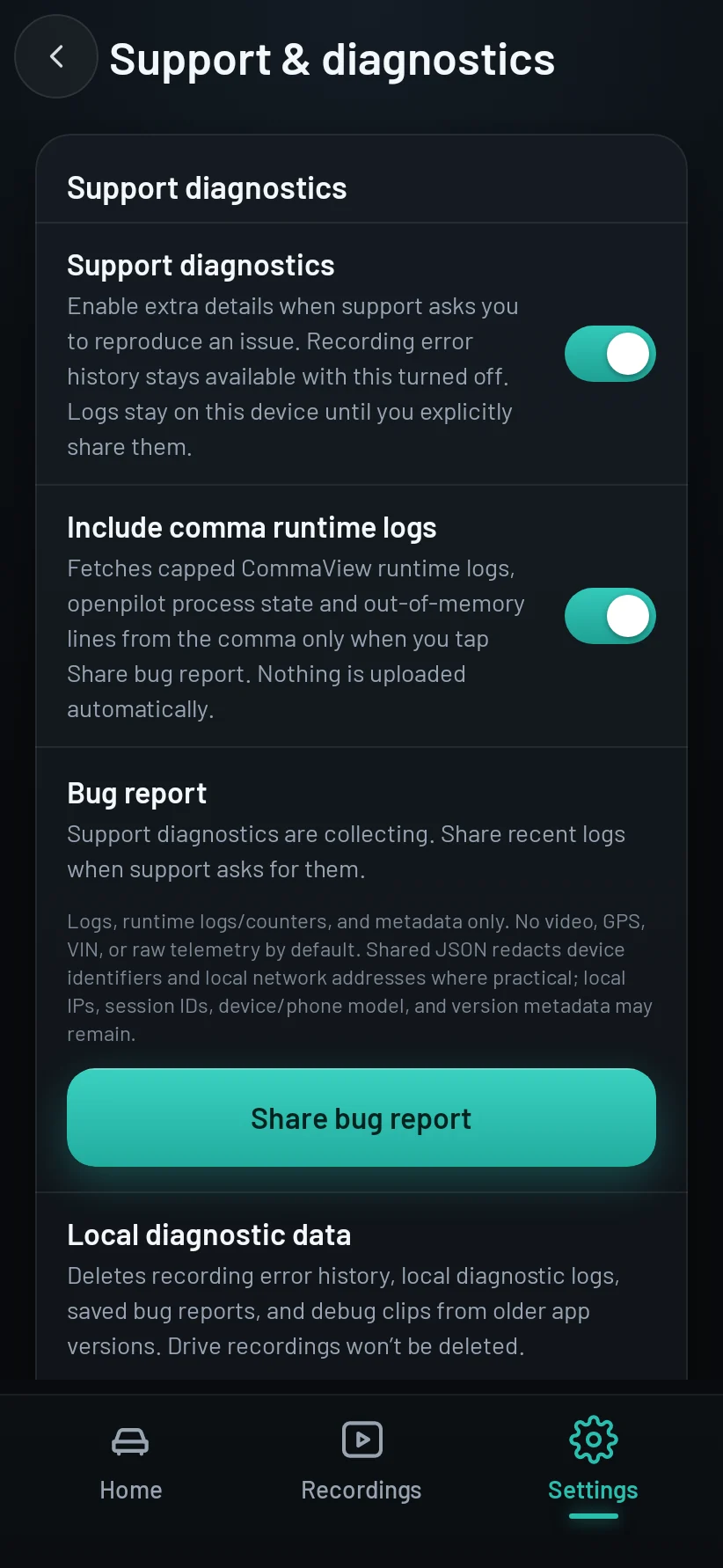
Keep diagnostics on this phone
Keep diagnostics on this phone is on unless someone turned it off: the app keeps its logs and counters from your last 10 drives, so a report can say what happened.
If it’s off, turn it on, then make the problem happen again (step 2).
Diagnostics stay on this phone until you send a report: they’re never uploaded automatically.
2Step 2 of 4
Make it happen again
- Connect to your comma as usual: the phone on the same network as the comma (the same Wi‑Fi or hotspot), and the home showing your comma Connected.
- Do what went wrong. For example, open Live View and switch to the overlay that misbehaves, and leave it there for 10 to 20 seconds.
- Note roughly when it happened and what you did. A screen recording helps too.
Safety first
Make it happen in Park.
- Never set up or tap through the app while driving.
- If it only happens on the road, let it happen and send the report once you’ve parked. The record waits for you.
3Step 3 of 4
Send it
Send it soon after the problem, while the app is still connected to your comma.
-
3.1
Open Send to CommaView
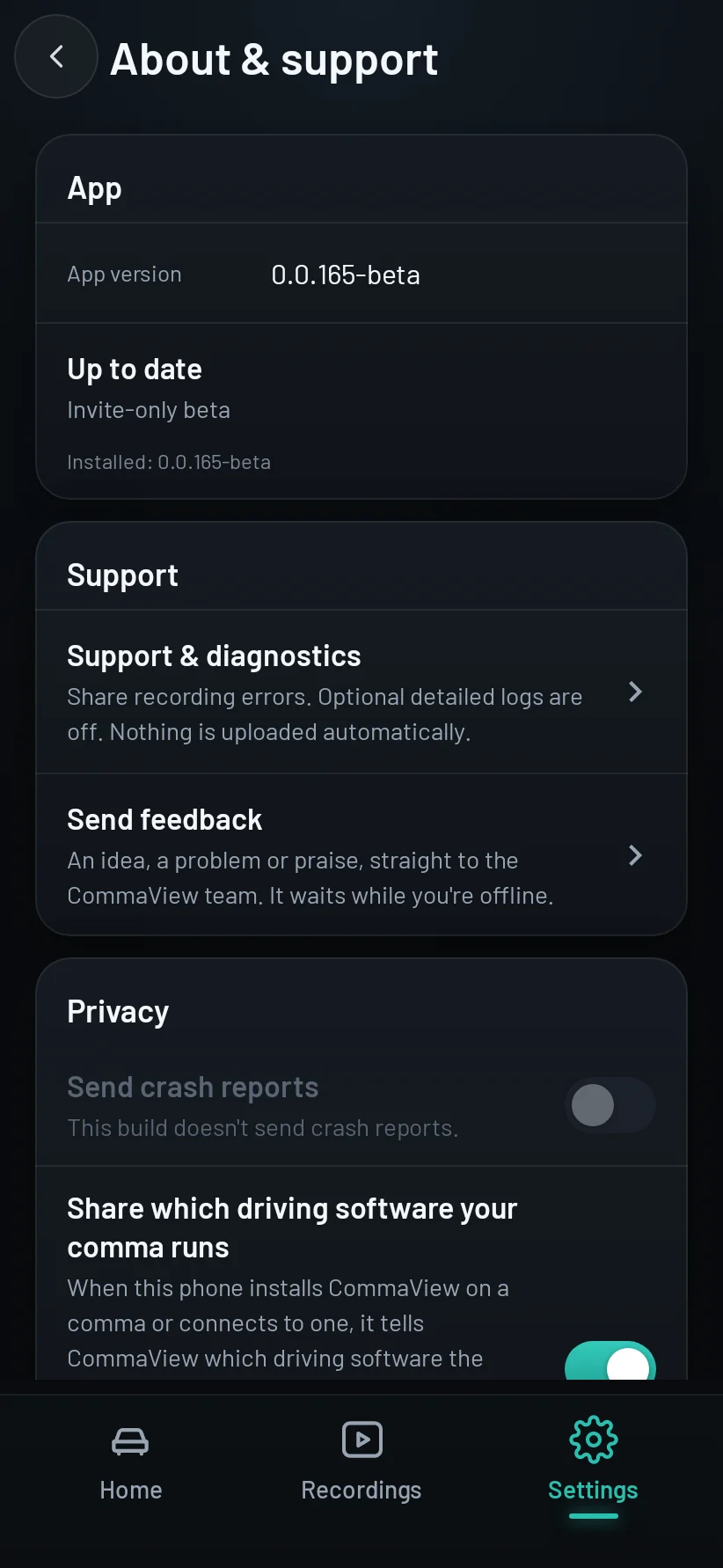
In Settings → Support & diagnostics, tap Report a problem or send an idea.
Or start from the problem: where the app shows a failure, tap its Report; for a recording, tap Send to CommaView in its More menu. Each opens the same sheet, with what’s relevant filled in.
-
3.2
Choose what goes, and send
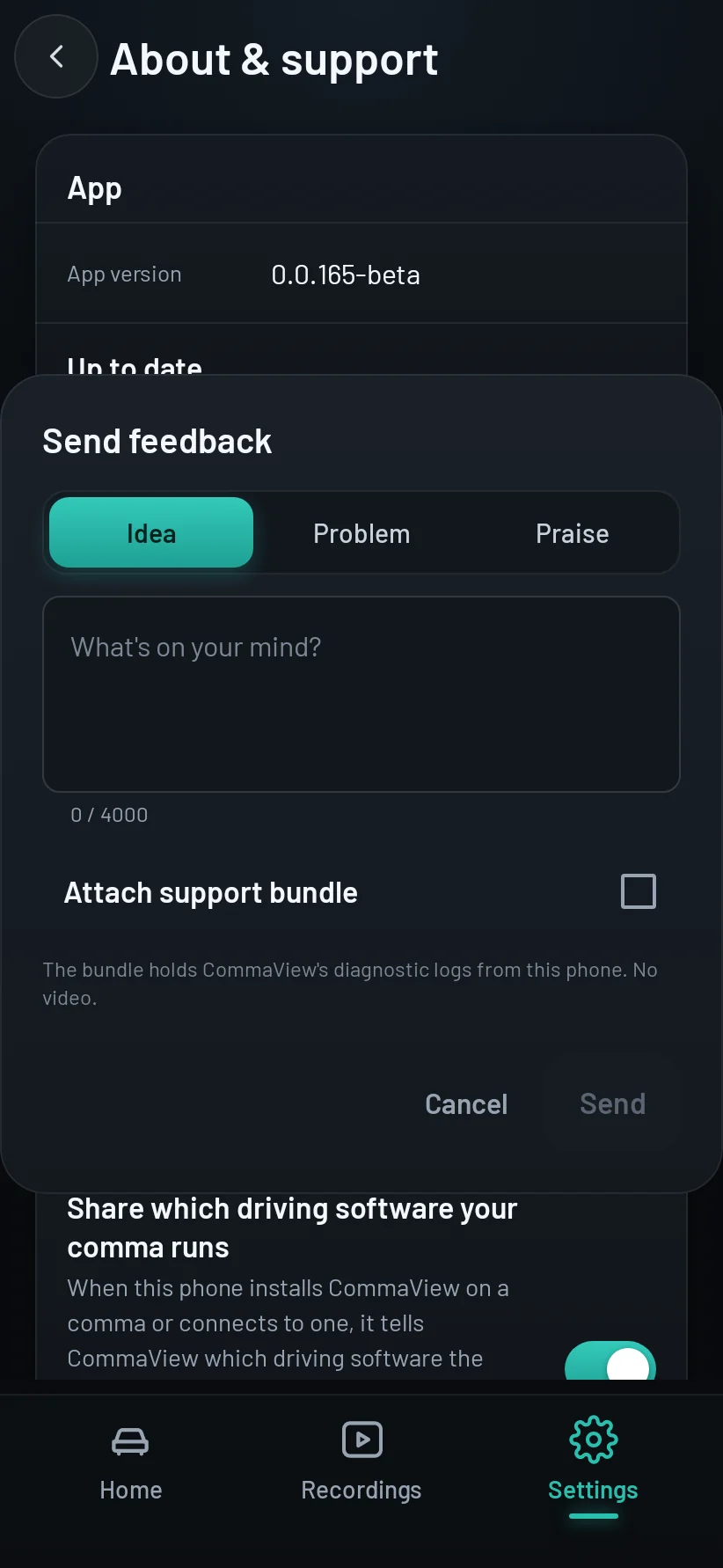
Choose Problem and say what happened. Under Attached, leave This phone’s diagnostics and your comma’s logs on. See shows exactly what each one holds.
Tap Send. It waits on the phone until it’s online. You need to be signed in with your beta account.
The bundle goes to CommaView’s private storage, where only the CommaView team opens it. It’s deleted 180 days after you send it, or sooner, at once, when you ask us to or delete your account (Privacy).
Send while the app is connected to your comma: the app asks the comma for its logs when you tap Send. If the comma is off or out of reach, the bundle says why and still holds the app’s own logs.
-
3.3
Or save it as a file
Support asked for the file itself, or you’re not signed in? Tap Save as a file instead of Send. The app builds the same bundle, a small
.zip, and opens Android’s share sheet.Send it wherever support asked for it: a direct message on Discord, an email, or a cloud drive link.
4Step 4 of 4
Afterwards
When we answer, the reply comes by email, and it’s on Your feedback at my.commaview.com with your report. Answer us there until we close it; you can reopen it for 30 days after. Your requests are listed in Settings → Support & diagnostics too, and open there.
Once support has what it needs, you can ask us to delete the report and its bundle at support@commaview.com. Deleting your account deletes them too.
To remove what the app keeps on this phone, tap Clear local diagnostic data in Settings → Support & diagnostics. It never deletes your recordings. To keep only the history of recording errors from then on, turn off Keep diagnostics on this phone on the same page.
What’s in a support bundle
-
This phone’s diagnostics
CommaView’s diagnostic logs and counters from this phone: the video stream, drawing, connection and recording errors, with the app version and the phone’s model and Android version. Where your account has Navigation, also how many place searches of each kind worked or failed, never what you searched for.
-
Your comma’s logs
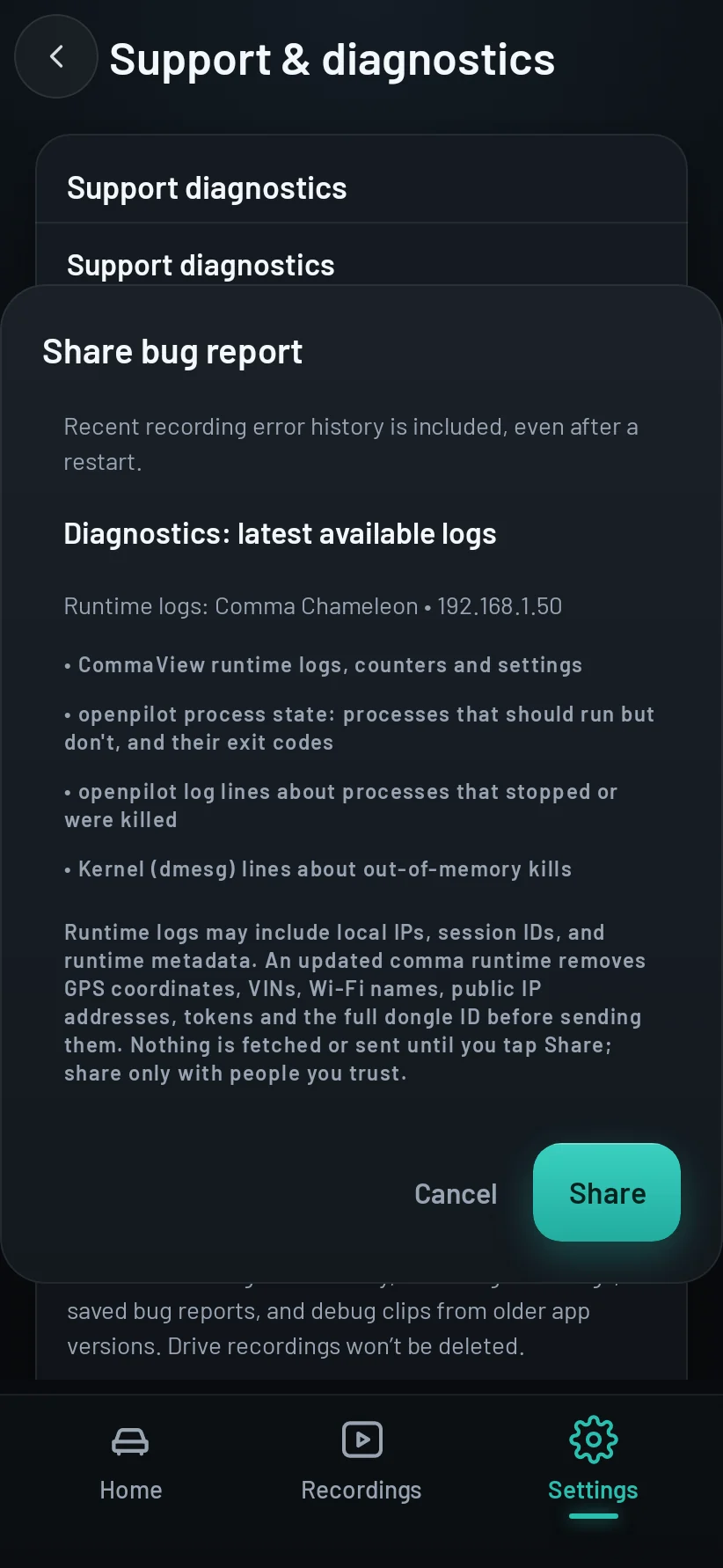
With your comma’s row on: the CommaView runtime’s logs, counters and settings, which openpilot processes stopped and why, and out-of-memory lines from the comma’s kernel.
-
Never in a bundle
No video, no GPS location, no VIN and no raw drive telemetry: a recording you send goes beside the bundle, not in it. An up-to-date comma runtime removes GPS coordinates, VINs, Wi‑Fi names, public IP addresses, tokens and the full dongle ID before it sends its logs.
-
Only when you send
A bundle leaves your phone only when you tap Send or Save as a file. A file you save goes only where you send it; a bundle you send is kept privately for the CommaView team for 180 days, or until you ask us to delete it. Local IP addresses, session IDs and version details can remain, so share a bundle only with people you trust.
Troubleshooting
The bundle has no comma logs
The app couldn’t reach your comma when you tapped Send, or its row under Attached was off. Check the home shows your comma Connected before you open Send to CommaView, and leave your comma’s row on. If the app asks you to pair your comma again, pair it first, then send again.
Nothing happens when I tap Save as a file
Android has no app on this device that can take a file. That’s common on head units. Send it to CommaView instead, or save it from a phone running CommaView.
The bundle couldn’t be made
The app couldn’t write the bundle, usually because the device is short of storage. Free some space and try again.
Not sure where to send it? Ask in the CommaView Discord.