Buyer’s guide
The best Android AI boxes for CommaView, without a new stereo
Which Android AI boxes turn your car’s factory CarPlay or Android Auto screen into one that runs CommaView’s Live View, without a new stereo, and which to skip.
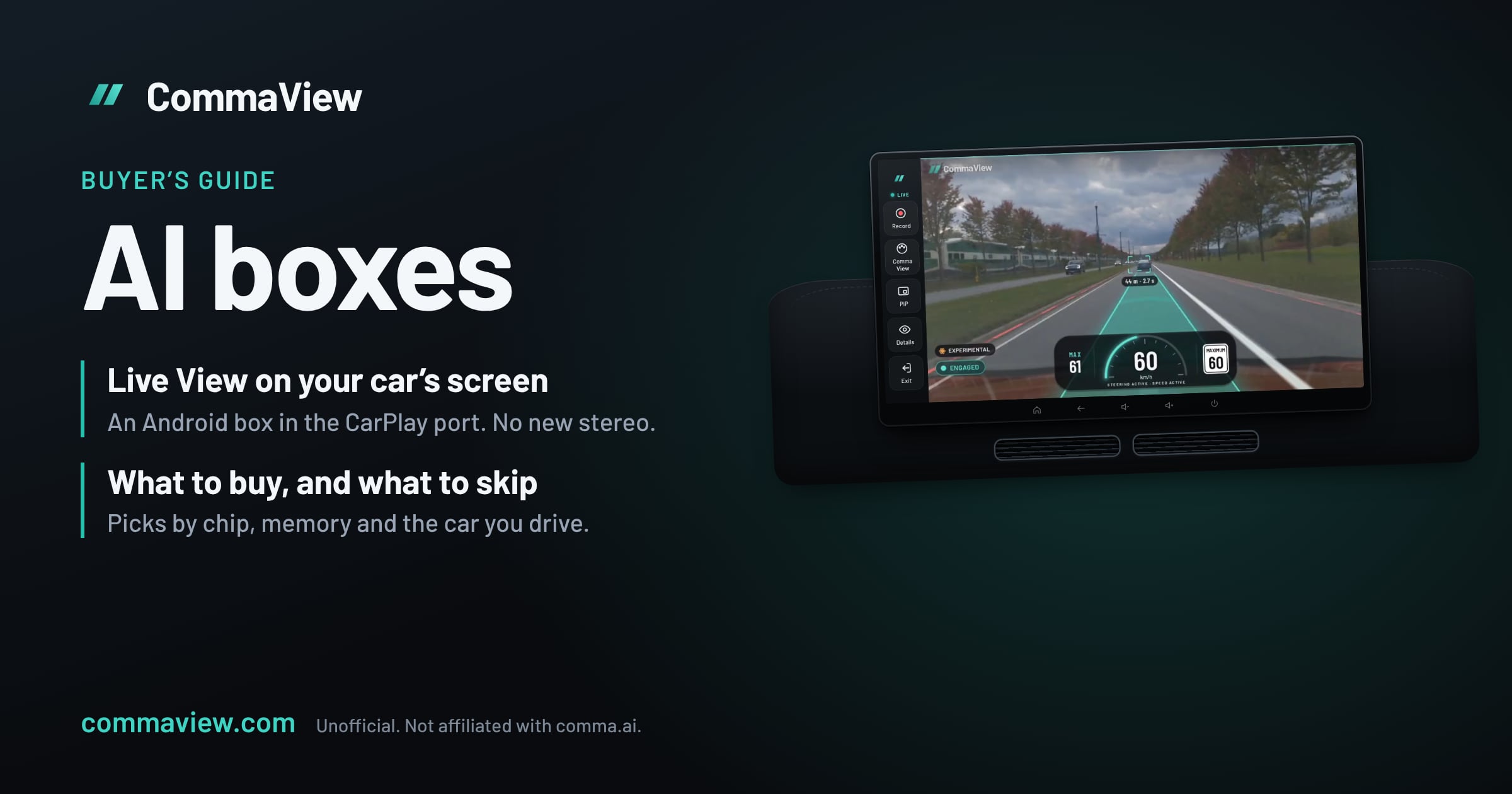
If your car has factory wired CarPlay or Android Auto, an Android AI box can put CommaView’s Live View on the car’s own screen, with no new stereo and no wiring. The box is a small Android computer that plugs into the USB port you’d plug your phone into. The car thinks it’s a phone running CarPlay or Android Auto, and shows the box’s whole Android screen. CommaView installs on the box like on any Android device, pairs with your comma and runs there while you drive.
The short answer, for most people: a Carlinkit TBox Plus or TBox Ambient with 8 GB of RAM, or an Ottocast P3 Pro. For the fastest box, the Carlinkit TBox Ultra. On a tighter budget, the Ottocast P3 Lite if your car has wired CarPlay, or a Carlinkit TBox Mini S if it has only Android Auto. Already have an aftermarket Android stereo? It can run CommaView itself: see Android head units. Skip the “video” adapters with a closed system, plain wireless CarPlay adapters and portable CarPlay screens: CommaView can’t install on them.
This guide is about what CommaView needs from a box, as of November 2026. The CommaView team hasn’t driven with an AI box yet, so nothing below is on our tested hardware list. It’s what the makers publish, checked against what CommaView asks of the device it runs on. If you run CommaView on one, tell us how it went.
Why not just use CarPlay or Android Auto from your phone?
CommaView isn’t a CarPlay or Android Auto app, and those platforms don’t let a phone app show video while the car moves. Apple and Google are adding video for some cars, but only while parked. Adapters that mirror your phone’s screen through CarPlay aren’t supported either.
An AI box gets around this because it isn’t your phone. It’s its own Android device, and the car shows its screen the way it would show CarPlay. CommaView runs on the box, so your phone stays free for calls and maps.
Four kinds of “CarPlay adapter”, and which one you want
Shops sell four quite different things under the same name. Only one runs CommaView.
| Kind | What it does | Runs CommaView? |
|---|---|---|
| Android AI box (Carlinkit TBox, Ottocast P3) | Full Android on the car’s screen, apps installed like on a phone | Yes |
| Closed “video” box (Ottocast Play2Video) | A few built-in streaming apps on a locked-down system | No |
| Wireless adapter (most cheap dongles) | Makes wired CarPlay or Android Auto wireless. No Android of its own | No |
| Portable CarPlay screen | A separate screen for your phone’s CarPlay, often not Android inside | No |
What CommaView needs from a box
Check each of these before you buy. A box that misses one won’t run CommaView, or won’t run it well.
- Your car’s protocol. Every AI box needs factory wired CarPlay or wired Android Auto, through a USB port that carries data. Some boxes take only wired CarPlay; check the box takes what your car has. A car with only wireless CarPlay (some BMWs) needs a model made for it, and a Tesla has no CarPlay at all.
- Real Android, with apps you install yourself. CommaView needs Android 8 or later, and every box here runs Android 12 or 13. What matters more is that you can install an app: from Google Play, or from a file you download. CommaView’s beta installs from my.commaview.com, not Google Play, so the box has to let its browser or file manager install an app. A box with a closed system and a fixed list of apps can’t.
- Wi‑Fi on the same network as your comma. Live View goes straight from the comma to the box over a local network, not the internet, and any network both are on will do: the box’s own hotspot with the comma joined to it (boxes with a SIM card can usually share one), your phone’s hotspot with both on it, or the comma’s hotspot with the box on it. Most boxes also use Wi‑Fi to connect your phone for wireless CarPlay, and some drop their Wi‑Fi internet while they do. Run CommaView in the box’s Android mode, not with your phone’s CarPlay passed through.
- A video decoder that plays your comma’s video. The comma sends its road camera as 1928 × 1208 HEVC (H.265). Phones from the last several years play that in hardware, and the Qualcomm chips in the boxes we recommend (Snapdragon 662, 665/6125, 6225/680 and 690 class) are phone chips. The cheapest boxes use chips nobody names; that’s where a decoder is most likely to fall short. If a decoder fails, CommaView tries the box’s others by itself.
- Enough memory. 4 GB of RAM is the least we’d buy; 8 GB leaves room for CommaView, a map and music at once.
Two more things worth knowing:
- The box’s screen reaches the car as video. CarPlay and Android Auto carry the box’s screen to the car as a video stream, so Live View is encoded one more time on the way. Expect it a touch softer and a little later than on a phone in your hand. The car decides the resolution, often the size of its own screen.
- Some cars crop the edges of what the box sends, and Android can’t tell. The CommaView 0.0.166 beta adds Settings › Display › Screen edges, which keeps the app clear of each edge you set.
The picks
Best overall: Carlinkit TBox Plus (8 GB)
Android 13 · Qualcomm 8-core (6125 or 6225 class) · 4 GB + 64 GB or 8 GB + 128 GB · wired CarPlay and wired Android Auto · 4G SIM slot · dual-band Wi‑Fi 5
The TBox Plus is the box we’d try first. It works with cars that have wired CarPlay or wired Android Auto, it comes with Google Play, and its Qualcomm chip is a phone chip with a phone’s video decoder. Carlinkit lists aftermarket Alpine, Pioneer and Kenwood head units with wired CarPlay or Android Auto among the screens it works with.
- Buy the 8 GB + 128 GB version. It’s sold in versions for the USA and Canada and for other countries; buy the one for where you drive, so its 4G modem works on your networks.
- Its chip varies. Carlinkit’s own pages name both a 6125 and a 6225. Both are fine for CommaView; the 6225 is the newer one.
- The 4G slot is optional for CommaView. Live View doesn’t need the internet, though CommaView’s beta renews its access pass over the internet now and then, and a SIM gives the box that while you drive.
Also great: Carlinkit TBox Ambient
Android 13 · Qualcomm QCM6225 (Snapdragon 680 class) · 4 + 64, 6 + 128 or 8 + 128 GB · wired CarPlay and wired Android Auto · 4G SIM slot · dual-band Wi‑Fi 5
The Ambient is the TBox Plus with the newer chip and an LED light ring, in more memory sizes. For CommaView it’s the same box. Choose it if you find it for the same price as a TBox Plus; buy the 8 GB version either way. Carlinkit also mentions versions with older 6125 and 660 chips, so check the listing names the 6225.
Most powerful: Carlinkit TBox Ultra
Android 15 · Qualcomm SM6350 (Snapdragon 690 class) · 8 GB + 128 or 256 GB · wired CarPlay and wired Android Auto · 4G SIM slot
The Ultra is Carlinkit’s fastest box: a faster chip than the TBox Plus and Ambient, and the newest Android of any box here. Reviewers report smooth 1080p and 4K streaming on it, so it has the most room for a map and music beside Live View. It costs the most, about $329 at list price, often less on sale. Later batches are sold as the Ultra 2 and Ultra 3, on the same chip. Carlinkit lists BMWs as not supported. Its listing mentions an app store without naming Google Play; check the box you get can install an app from a file before you rely on it.
Best Ottocast: Ottocast P3 Pro
Android 13 · Snapdragon 6225 · 8 GB + 128 GB · wired CarPlay or wired Android Auto, with a switch · CloudSIM · HDMI out
Ottocast’s flagship has the same class of chip and memory as the TBox Ambient. It has a CP/AA switch on the back for cars that support only one wired protocol, and an HDMI output for a second screen. Ottocast lists Sony aftermarket head units as not supported. Its product page says you can download any app you like, without saying how; check the box you get can install an app from a file before you rely on it.
Budget pick, wired CarPlay only: Ottocast P3 Lite
Android 12 · Snapdragon 665 · 4 GB + 64 GB · wired CarPlay only · Google Play
The P3 Lite is the least we’d put CommaView on. Its Snapdragon 665 is an older phone chip, and 4 GB of RAM is enough for CommaView on its own. It works only with factory wired CarPlay: not with cars that have only Android Auto, not with BMWs (Ottocast sells a BMW version), and not with Sony aftermarket head units.
Budget, with Android Auto: Carlinkit TBox Mini S or TBox S2C
Android 13 · Qualcomm SM6115 (Snapdragon 662) · 4 GB + 64 GB (8 GB on some S2C listings) · wired CarPlay and wired Android Auto
Carlinkit’s cheaper boxes use the Snapdragon 662, a little older than the P3 Lite’s 665, but they run Android 13 and take wired Android Auto as well as CarPlay, so they suit a car with only Android Auto. Qualcomm doesn’t publish the largest video the 662 decodes, and your comma’s 1928 × 1208 is a little more than 1080p. Buy one you can return, and check Live View plays before you rely on it.
BMW with wireless-only CarPlay: Ottocast i3
Many BMWs with iDrive 7 and later have only wireless CarPlay, which ordinary AI boxes can’t use. Ottocast makes the i3 for them, on Android 13. We know less about what it lets you install than about the others; if you try CommaView on one, we’d like to hear how it went.
Rivian and GM electric cars: EV Play Max
Rivians and GM’s newer electric cars have no CarPlay or Android Auto, so no AI box works in them. EV Play Max, by Amprocity, is an Android computer made for them that shows its screen on the car’s own display, with Google Play. It isn’t plug and play: fitting it in a Rivian takes about an hour, and its maker says GM could block it. Its chip isn’t published, so we can’t say whether it plays your comma’s video, and nobody has told us they’ve tried. The cheaper EV Play LT only brings your phone’s CarPlay or Android Auto to the car, and can’t run CommaView. Check openpilot supports your car first.
Tesla
A Tesla has no CarPlay or Android Auto, so no AI box works in one. It has a web browser, though, and CommaView’s Browser View, new in the 0.0.166 beta, shows Live View in it, served by your phone over its hotspot. Browser View’s guide has the setup. An Android phone or tablet on a mount that doesn’t block your view works too.
At a glance
| Box | Android | Chip | RAM | Wired CarPlay | Wired Android Auto | Install apps |
|---|---|---|---|---|---|---|
| Carlinkit TBox Plus | 13 | Qualcomm 6125 / 6225 | 4 or 8 GB | Yes | Yes | Google Play |
| Carlinkit TBox Ambient | 13 | Qualcomm 6225 | 4, 6 or 8 GB | Yes | Yes | Yes, check the version |
| Carlinkit TBox Ultra | 15 | Qualcomm SM6350 (690 class) | 8 GB | Yes | Yes | Yes, check how |
| Ottocast P3 Pro | 13 | Snapdragon 6225 | 8 GB | Yes | Yes (switch) | Yes, check how |
| Ottocast P3 Lite | 12 | Snapdragon 665 | 4 GB | Yes | No | Google Play |
| Carlinkit TBox Mini S / S2C | 13 | Snapdragon 662 | 4 GB (some S2C 8 GB) | Yes | Yes | Yes |
What the makers publish, November 2026. Makers change chips and memory between batches under the same name, so check the listing of the one you buy.
Already have an Android head unit?
If your car has an aftermarket Android stereo (a head unit), it runs CommaView itself: no box needed, and the picture doesn’t go through CarPlay on its way to the screen. The CommaView team drives with two, on our tested hardware list, and members run CommaView on many more. As with a box, the chip is what to check, in Settings › About or on the listing.
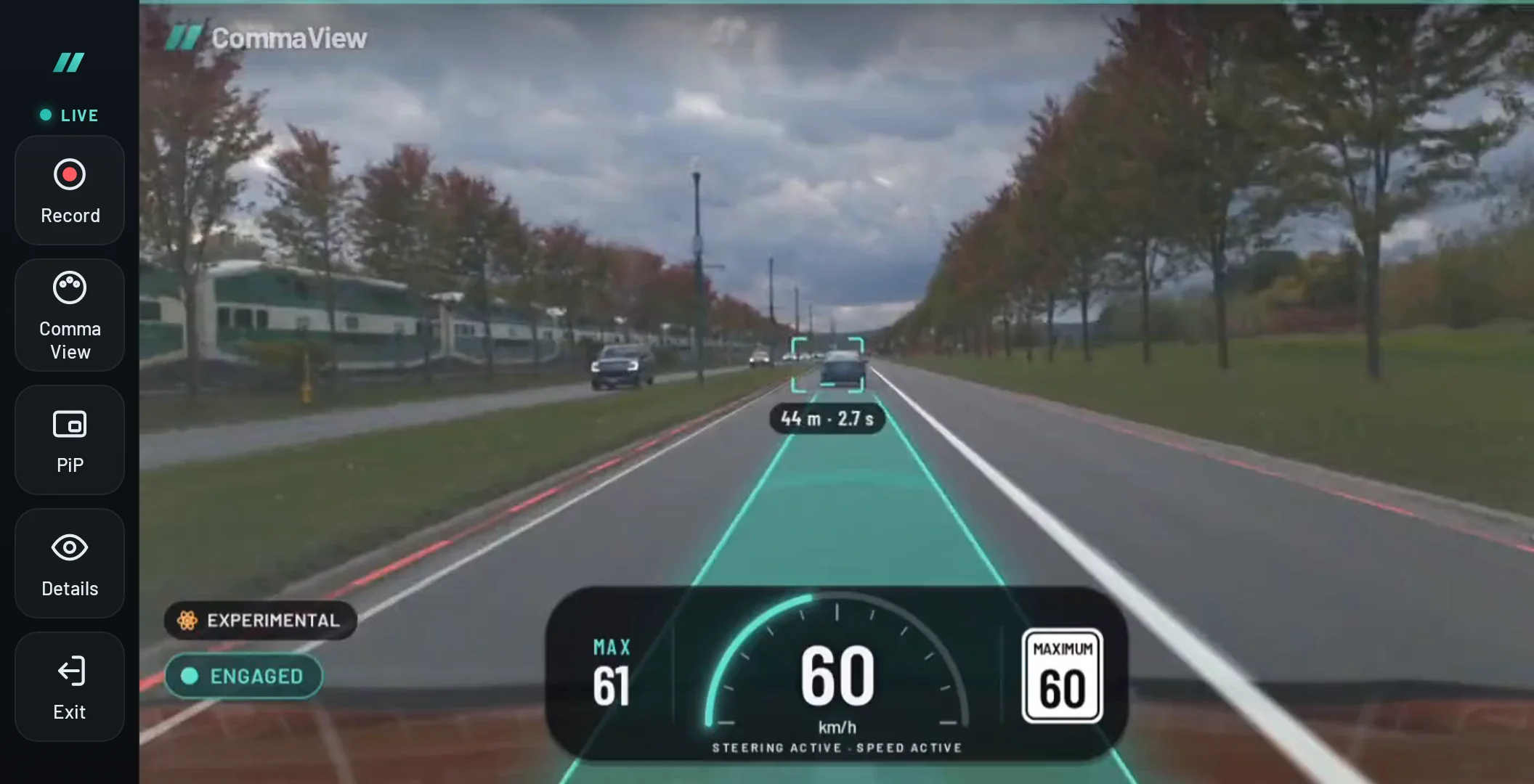
The chips you’ll find, safest first:
- Qualcomm (Snapdragon 662, 665 or QCM6125, QCM6490): phone chips, the safest choice. Joying’s, Dasaita’s and Teyes’s Qualcomm units, and many screens made to fit a particular car, use them. We’ve had a report of Live View playing at your comma’s full 20 frames a second on a Qualcomm unit with a 1920 × 720 screen.
- Unisoc UIS7870: the fast chip in 2025–26 units such as the Mekede M7 Plus and Junsun V3. Its decoder is rated well above your comma’s video.
- MediaTek MT8667: in units such as the Junsun V2 Plus and the wide 10.25″ and 12.3″ screens made to replace a particular car’s. We’ve had a report of Live View playing at 20 frames a second on one.
- Unisoc UIS7862 (TS10 and many other FYT and TopWay units): the most common chip in cheaper head units. Your comma’s video is close to the limit its decoder is rated for, so check Live View plays before you rely on it.
Many head units say they run a newer Android than they do; CommaView needs Android 8 or later, which every unit above has. Car screens covers putting one on the same network as your comma.
What to skip
- Closed “video” boxes, such as Ottocast’s Play2Video Pro and Ultra. They play Netflix and YouTube on a locked-down Android with a short list of apps, and no way to install CommaView.
- Plain wireless CarPlay and Android Auto adapters. They make your phone’s CarPlay wireless, and that’s all. There’s no Android on them to run CommaView.
- Screen-mirroring adapters, which copy your phone’s screen into CarPlay. CommaView doesn’t support them.
- Portable CarPlay screens that stick to the dash. Many aren’t Android inside; the ones that are run your phone’s CarPlay, not apps of their own. An Android tablet on a mount does the job better.
- Older AI boxes on Android 9 with a Snapdragon 450, such as Carlinkit’s first AI boxes and the boxes copied from them. Owners found them slow, and their decoder is rated for 1080p, less than your comma’s video. They’re still sold cheaply as old stock.
- Boxes with 2 GB of RAM, or a chip the listing won’t name. They may run Android, and still not play your comma’s video smoothly.
Setting it up
Do all of this parked. Car screens has every step.
- Plug the box into the car’s CarPlay or Android Auto USB port and let it start. Connect it to Wi‑Fi with internet for now.
- Install CommaView. In the box’s browser, sign in at my.commaview.com with the email your invite came to, and download CommaView from Get the app. Allow installs from the browser for this one install, then turn that off again.
- Put the box and the comma on the same network. Turn on the box’s hotspot and join the comma to it, put both on your phone’s hotspot, or turn on the comma’s hotspot (openpilot calls it tethering) and join it from the box.
- Pair the box with your comma. If your phone already runs CommaView with it, open the comma’s Device settings on the phone, tap Pair another phone › Add another phone › Show invitation, and enter the code on the box, or scan its QR code.
- Make it fit. On CommaView 0.0.166 or later, set Screen edges if your car crops the picture, and check Live View plays before you drive. Settings › Display › Opening Live View can open CommaView when the box starts and go straight into Live View once your comma connects.
When you update your comma’s runtime, update CommaView on the box first, like on every device that watches your comma.
Safety
Set the box up parked, then leave it alone. Don’t operate CommaView while driving: keep your eyes on the road and your hands on the wheel, as openpilot asks. Your comma’s own alerts and your car’s instruments come first. CommaView only shows what the comma sees.
Questions
Will an AI box void my car’s warranty? It plugs into the USB port your phone uses and changes nothing in the car. Unplug it and the car is as it was.
Can I still use CarPlay from my phone? Yes. Most boxes pass your phone’s CarPlay or Android Auto through wirelessly, and you switch between that and the box’s Android. CommaView runs in the box’s Android mode.
Does the box need a SIM card? Not for Live View, which goes from the comma to the box over whatever local network they share. During the beta, CommaView needs the internet now and then to renew its access pass, which Wi‑Fi at home, your phone’s hotspot or a SIM in the box gives it.
Can my phone and the box both watch the same comma? Yes: pair each one with the comma. One of them has Live View at a time.
My car has Google built-in. Can I use that instead? Not yet. Cars with Google built-in install apps only from their own Play Store, where CommaView isn’t.