Release notes
CommaView 0.0.166: a key for each phone, 11 more languages and Browser View
CommaView 0.0.166 gives each phone a key, speaks 11 more languages, shows Live View in your car's web browser, keeps drives on your phone and opens the overlay packs store.
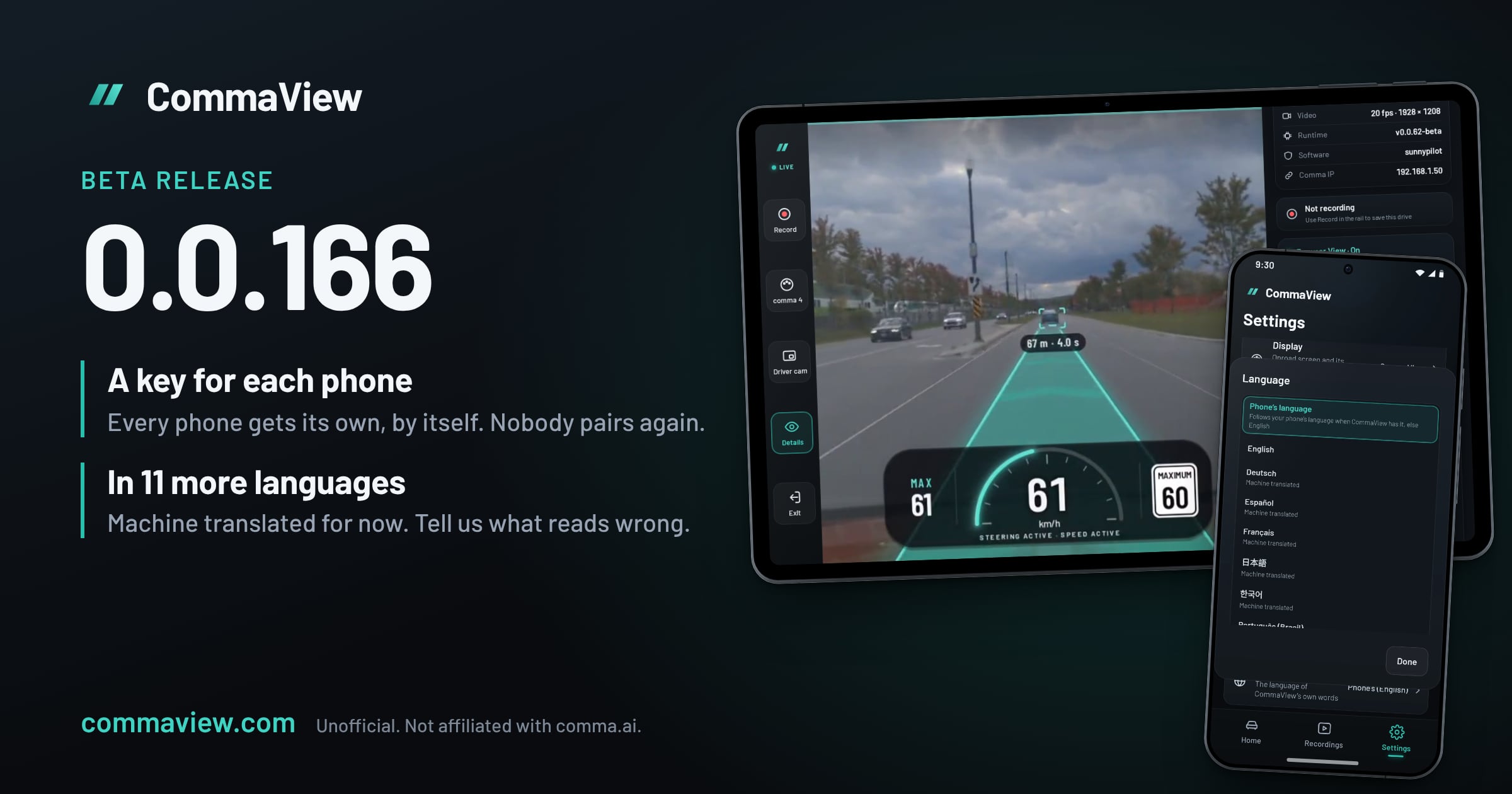
CommaView 0.0.166 is out for everyone in the beta. With the new runtime, each phone gets a key of its own for your comma, and nobody pairs again. CommaView speaks 11 more languages, shows Live View in your car’s web browser with Browser View, keeps your drives on your phone with Save this moment, Export whole drive… and Pull drives automatically, and opens the overlay packs store.
It comes with runtime v0.0.62-beta. Update CommaView first, then the runtime from the app when it offers it, and reboot the comma when the app asks. A phone still on 0.0.165 keeps working for 90 days after your comma’s first phone gets its key. Don’t set your comma up again from a phone on 0.0.165: setup from it puts the old runtime back, and phones with a key can’t reach the comma on it.
A key for each phone
With the new runtime, each phone gets a key of its own for your comma, in place of the shared token every phone used to send. The key never crosses the network, and nobody pairs again: a phone on 0.0.166 gets its key the next time it connects.
- A new phone has a key. Each phone with a key is told when another gets one, with It’s mine, Remove and Review phones, which opens Device settings › Pair another phone, where every phone with a key is listed.
- Adding a phone. Show invitation on a phone with a key gives a code or a QR code, good for 10 minutes.
- Older apps. Your comma takes the old shared token for 90 days after its first phone gets a key, or until someone taps Stop now. Until then, Pair code for an older app pairs a phone on an older CommaView. After that, a phone without a key needs 0.0.166 and an invitation.
CommaView in your language
Settings › Language now offers Deutsch, Español, Français, 日本語, 한국어, Português (Brasil), ไทย, Türkçe, Українська, 简体中文 and 繁體中文 beside English. Phone’s language, the default, takes the first language in your phone’s list that CommaView has, else English, and the row says which one it’s using. On Android 13 and later, Android’s per-app language setting works too.
Every language but English is machine translated, and no native speaker has reviewed one yet, so expect wrong words and awkward sentences. A card at the top of Settings says so, and Help improve it opens CommaView’s translations, where anyone can suggest a better word. You can also tell us on Discord or from Report a problem or send an idea: name the screen and what it says now.
- Your comma’s screens stay in your comma’s language. A fork’s labels and your comma’s alerts are drawn as your car shows them, now in the fork’s own font when your comma is in Chinese, Japanese, Korean or Thai.
- The English text applies to the leaderboard’s consent, and Show in English shows it. The privacy policy and terms are in English.
- Dates follow your language’s order, and Go live’s YouTube title and description, until you change them, are in the app’s language.
- Korean keeps words whole at the end of a line. On Android 13 and older, a Korean name you gave a comma or a place can still break.
Browser View
Browser View shows what Live View shows in your car’s web browser, served by your phone over its hotspot or Wi‑Fi. Start it from Live View › Details › Browser View, type the short link, commaview.app/<code>, in the car’s browser and tap Open. In a Tesla, Turn on VPN address first.
The picture goes from your phone to the car, never over the internet; only the short link’s page does. Signed in, your phone gets a name of its own and a trusted certificate, so a Tesla shows a padlock and the smoother H.264 picture. Signed out, a Tesla gets the Basic picture.
- Controls in the car: Record, Save, Map, the onroad screen, Go live and Driver cam, beside or under the picture, never over it.
- No internet in the car? Show addresses lists the phone’s own addresses.
- 720p or 1080p, eight-digit codes, and Start with Live View to start it whenever Live View opens.
Every step, a Tesla’s included: Browser View.
While it runs, your phone sends CommaView’s account service its code, ports and private address, so the short link can find it. Anyone with the code can see them, and your phone’s commaview.app name, while Browser View runs and for up to 2 hours after it stops unexpectedly, but none of them opens anything without your phone’s hotspot or Wi‑Fi. They’re deleted 30 days after Browser View last ran. Your phone’s commaview.app name and its last certificate’s date stay while your account does, and the name is in public certificate logs. The privacy policy has the details.
Your drives on your phone
- Save this moment. Live View’s Save keeps the last 3 minutes and the next minute of a drive; another tap within that minute adds a minute, up to 10 minutes. Nothing downloads while you drive: once you park, it’s copied into an MP4 on your phone.
- Export whole drive… In a drive’s More menu: the road camera as one MP4, in parts past 3.5 GB. The sheet says how big it is and whether it fits before anything downloads.
- Pull drives automatically. Settings › Recordings: new drives are copied home about every half hour on the Wi‑Fi networks you choose, over Wi‑Fi only, up to the room you give them. An hour of driving is about 4.5 GB.
- Lost power? Recordings warns when your comma lost power as a drive ended, and says how to fix it.
All of it is the road camera with no HUD, and stays on your phone after your comma rotates the drive out.
Overlay packs
Settings › Overlay packs, or the card on Home, opens the store. Packs add what your fork draws on its own screen to Live View, such as BluePilot’s hybrid gauges or dragonpilot’s rainbow path. Members browse CommaView’s Official packs, the Community’s and For your comma, each with a preview for the design Live View draws. Your packs has one switch for your phone and every paired comma. Without a membership, you can add a pack from a file or a link.
Also in 0.0.166
- Navigation with your own Stadia Maps key, for members: Settings › Maps & navigation › Your Stadia Maps key.
- BluePilot, dragonpilot and OPGM are listed forks, with the new runtime. None has been driven with CommaView yet.
- Live View on more head units: when the phone’s video decoder can’t play the comma’s video, it tries another.
- Open CommaView by itself when a head unit starts or Bluetooth connects, and Open Live View when connected, in Settings › Display. Running CommaView on your car’s own screen: the best Android AI boxes.
- Share with my fork’s developer…: a clip, a summary and CommaView’s log, to share yourself.
- Live View says what’s happening: a reboot it’s waiting for, car data that stopped, a delayed picture, why it’s reconnecting, another device that has it open.
- Updating CommaView, for members, from 0.0.166 on: the version first, Cancel download, and the download carries on in the background.
- Screen edges, Go live destinations for each platform, and nothing cut off at large text.
Early access
Go live to X, Twitch, Kick and Facebook, Video only for FrogPilot and KisaPilot, Fork settings, making overlay packs and Surround stay behind feature flags, for a limited group of testers. If you’d like to help test them, reach out on our Discord and be ready to tell us how they do on your drives.
How to update
CommaView is in an invite-only beta. If you’re in, the app offers 0.0.166 by itself. Update CommaView, then your comma’s runtime from the app, and reboot the comma when it asks. Update every phone and head unit that watches your comma within 90 days of the first one getting its key.
Further reading
CommaView is unofficial and not affiliated with comma.ai, BluePilot, dragonpilot, OPGM or the other forks named. It is beta software and not a safety system: never let it distract you from driving.